
How to Improve Retention Rates with Better SaaS Onboarding
Chasing higher user retention can feel like solving a moving puzzle for seasoned SaaS teams. Clear insights into what keeps users engaged or drives them away are often buried beneath surface-level metrics. By focusing on user behavior during and after onboarding and breaking down activation, engagement, churn, and satisfaction signals, product leaders gain actionable direction for design improvements that actually matter.
Table of Contents
- Step 1: Analyze Retention Metrics And User Behavior
- Step 2: Identify Friction Points In User Journeys
- Step 3: Redesign Onboarding For Immediate Value
- Step 4: Integrate Feedback To Refine User Experience
- Step 5: Validate Improvements Through Retention Testing
Quick Summary
| Key Point | Explanation |
|---|---|
| 1. Define retention metrics | Understand activation, engagement, churn indicators, and satisfaction signals to identify user retention issues. |
| 2. Identify friction points | Observe user behavior to find confusion or barriers during onboarding stages that affect retention. |
| 3. Focus on immediate value delivery | Redesign onboarding to highlight quick user wins and show product value early in the process. |
| 4. Collect and analyze feedback | Use multiple feedback channels to gather user insights and identify areas for improvement in onboarding. |
| 5. Validate improvements through testing | Use cohort analysis to see if onboarding changes enhance user retention, ensuring decisions are data-driven. |
Step 1: Analyze Retention Metrics and User Behavior
Your onboarding succeeds only if users stick around. Before you redesign anything, you need clear visibility into what’s actually happening with your users during and after onboarding. This step shows you how to identify the metrics that matter and uncover the behavior patterns driving retention decisions.
Start by defining your retention baseline. Look at time-to-productivity and retention rates across user cohorts to understand which groups stay longest. Track when users churn, not just that they churn. Are new users dropping off after day three? Week two? Month one? The timing matters because it points to specific onboarding gaps.
Break your metrics into actionable categories:
Here’s a summary of key retention metrics, what they measure, and their business value:
| Metric Type | What It Measures | Why It Matters |
|---|---|---|
| Activation | Speed to first meaningful action | Early wins drive higher long-term retention |
| Engagement | Frequency and depth of ongoing product use | Indicates product adoption and value gained |
| Churn Indicator | When and why users stop returning | Reveals critical points of user drop-off |
| Satisfaction Signal | Support demand, feature feedback, survey sentiment | Helps target improvements that boost loyalty |
- Activation metrics: How quickly users complete core actions (first login, profile setup, feature exploration)
- Engagement metrics: How often users return and what features they use
- Churn indicators: When and why users stop using your product
- Satisfaction signals: Support tickets, feature requests, survey responses
Now dig into user behavior. Don’t just track numbers—watch what users actually do. Which onboarding steps do they skip? Where do they get stuck? Understanding emotional connection and the assimilation process during onboarding reveals whether users feel confident or confused as they progress.
Pull data from multiple sources. Your analytics show what users do. Support tickets and in-app feedback show what frustrates them. User interviews reveal why they made those choices. When these data sources align, you’ve identified a real problem worth solving.
Create a simple retention curve by cohort. Plot your users by sign-up date and track what percentage remains after day 1, week 1, month 1, and month 3. Cohort analysis reveals whether recent onboarding changes actually improved retention or if problems persist.
The users who leave after day three aren’t lazy—they didn’t understand your value. Your metrics will tell you why.
Look for behavior patterns that predict long-term retention. Users who complete specific actions in onboarding often stay longer. Users who skip certain steps churn faster. These patterns become your north star for onboarding redesign.
Pro tip: Set up weekly retention dashboards by cohort so you catch problems early. If retention dips suddenly, you’ll know exactly which onboarding change caused it.
Step 2: Identify Friction Points in User Journeys
Now that you understand your retention metrics, it’s time to pinpoint exactly where users get stuck. Friction points are the moments when users encounter confusion, complexity, or dead ends during onboarding. Finding and fixing these barriers transforms dropout rates dramatically.
Map your onboarding stages first. Most SaaS onboarding flows include four distinct phases: preboarding (before signup), orientation (first login), foundation-building (learning core features), and mentoring (ongoing support). Identifying friction in these steps such as inconsistent communication or lack of role clarity allows you to address drop-offs where they actually happen.
Common friction points to watch for:
- Unclear communication about what users should do next
- Missing context about why they’re completing a task
- Too many steps required before showing value
- No progress indication so users feel lost
- Inconsistent design that breaks established patterns
- Lack of support when users hit questions
Observe real users during onboarding. Watch session recordings to see where they pause, re-read, or abandon tasks. Do they click the help button? Do they try multiple times before succeeding? These behaviors scream friction.

Conduct user interviews with both completers and dropouts. Ask what confused them, what surprised them, and where they almost quit. Dropouts especially reveal critical friction points because those barriers were strong enough to drive them away. Addressing barriers by pre-joining communication and continuous feedback enhances user journeys and reduces early attrition.
Analyze support tickets and chat logs. Users struggling with onboarding ask similar questions repeatedly. These frequently asked questions highlight confusion zones. If five users ask “How do I invite my team?” within the first week, that’s a friction point.
Test your onboarding with fresh eyes. Have someone new to your product go through onboarding without coaching. Note where they hesitate, what they skip, and where they get stuck. Their natural reactions show real friction better than any meeting.
Friction isn’t always obvious to the team building the product. You need to watch users stumble to find it.
Prioritize by impact. Some friction points cause immediate dropoff. Others annoy users but don’t kill retention. Fix the ones causing real churn first.
Pro tip: Create a friction log that tracks location, severity, and impact of each barrier, then score them by how many users encounter them and how long they delay progress.
Step 3: Redesign Onboarding for Immediate Value
Users don’t stick around for potential value. They stick around because they see it working right away. Redesigning your onboarding to deliver quick wins changes everything about retention. You’re not just rearranging screens—you’re restructuring when and how users experience your product’s core benefit.
Start by clarifying what “immediate value” means for your product. For a project management tool, it’s completing their first task. For analytics software, it’s viewing their first dashboard. For communication platforms, it’s sending their first message. Clarifying role expectations and providing necessary tools early means users understand what they’re building toward from the first click.
Restructure your flow to reach that moment faster:
- Skip unnecessary setup steps that don’t directly enable value
- Pre-fill sensible defaults so users don’t start from a blank slate
- Show the payoff early before asking for more configuration
- Build context gradually rather than overwhelming upfront
- Let users get dirty instead of watching tutorials
Design for first-day preparedness. Innovative onboarding programs emphasize first-day preparedness and easily accessible resources which enable new users to realize value quickly. This means having everything ready before they log in for the first time.
Test your redesigned flow with new users. Time how long it takes to reach that first win. Measure how many users actually complete it. If your onboarding takes 20 minutes before users see value, that’s too long. Aim for five to ten minutes maximum.
Build mentoring or buddy systems into the experience. Real support from a real person who answers questions beats automated help every time. This doesn’t have to mean hiring more support staff. It could be in-app chat with your team, scheduled onboarding calls, or peer networks.
Users who create one artifact in your product stay longer than users who watch three tutorials. Speed to value beats comprehensiveness every time.
Measure engagement after redesign. Compare day-one completion rates between your old and new onboarding flows. Better designed onboarding should push more users to that critical first win.
Pro tip: Make the first action a hands-on task rather than a form field—users remember experiences they create over information they consume.
Step 4: Integrate Feedback to Refine User Experience
You’ve redesigned your onboarding and launched it. Now the real work begins. Feedback tells you whether your changes actually moved the needle. Without it, you’re flying blind. This step shows you how to collect, analyze, and act on user feedback systematically.
Set up multiple feedback channels simultaneously. Users share different things through different mediums. Some will answer surveys. Others will mention pain points in support tickets. Still others will open up in one-on-one interviews. Continuous feedback collection from new hires through surveys, exit interviews, and informal focus groups provides insights into pain points and satisfaction. You need all three streams.
Create lightweight feedback mechanisms:
- In-app surveys after completing key onboarding milestones
- Exit interviews with users who churn (especially during onboarding)
- Support ticket analysis to spot repeated confusion
- User interviews with a sample of successful and struggling users
- Session recordings to observe where users hesitate
Measure satisfaction with specific questions. Don’t ask “How was onboarding?” Ask “Did you understand what to do first?” and “Where did you get stuck?” Specific questions surface real problems.
Engage with both mentors and new users about their experiences. Ongoing feedback loops identify gaps and opportunities for improvement. This iterative feedback integration contributes to more personalized experiences and aligns onboarding with evolving user needs.
Look for patterns across your feedback sources. If three support tickets mention confusion about the same feature, that’s a signal. If 40 percent of survey respondents skip a tutorial, that’s a signal. Patterns matter more than individual comments.
Close the loop. When users give feedback, tell them what you changed because of it. This builds trust and encourages future feedback. Users stay longer when they see the product improving based on their input.
Feedback without action kills user engagement faster than no feedback at all. You must respond to what you hear.
Schedule regular refinement cycles. Every two weeks, review your feedback, prioritize changes, test them with a small group, and roll out what works. Onboarding is never finished.
Pro tip: Track feedback by stage in onboarding (preboarding, orientation, foundation-building, mentoring) so you know exactly where to focus your next redesign effort.
Step 5: Validate Improvements Through Retention Testing
You’ve made changes. Now prove they work. Retention testing separates assumptions from reality. This step shows you how to measure whether your onboarding improvements actually keep users around longer and drive real business impact.
Design a proper test structure. Don’t compare your new onboarding to nothing. Compare it directly to your old onboarding using cohort analysis. Split new users between the old flow and the new flow, then track retention metrics for both groups over time. Testing the impact of onboarding modifications on retention rates using cohort comparisons ensures you have clear data on whether changes are effective.
Run tests long enough to matter:
- Week one: Measures activation (users reaching first value)
- Month one: Measures initial engagement (users returning)
- Month three: Measures stickiness (users becoming regular users)
- Month six: Measures retention (users staying long-term)
Track specific retention metrics for each cohort. Day-one return rate, week-one retention, and 30-day retention all tell different stories. Your new onboarding might improve immediate engagement but fail at long-term retention. You need the full picture.
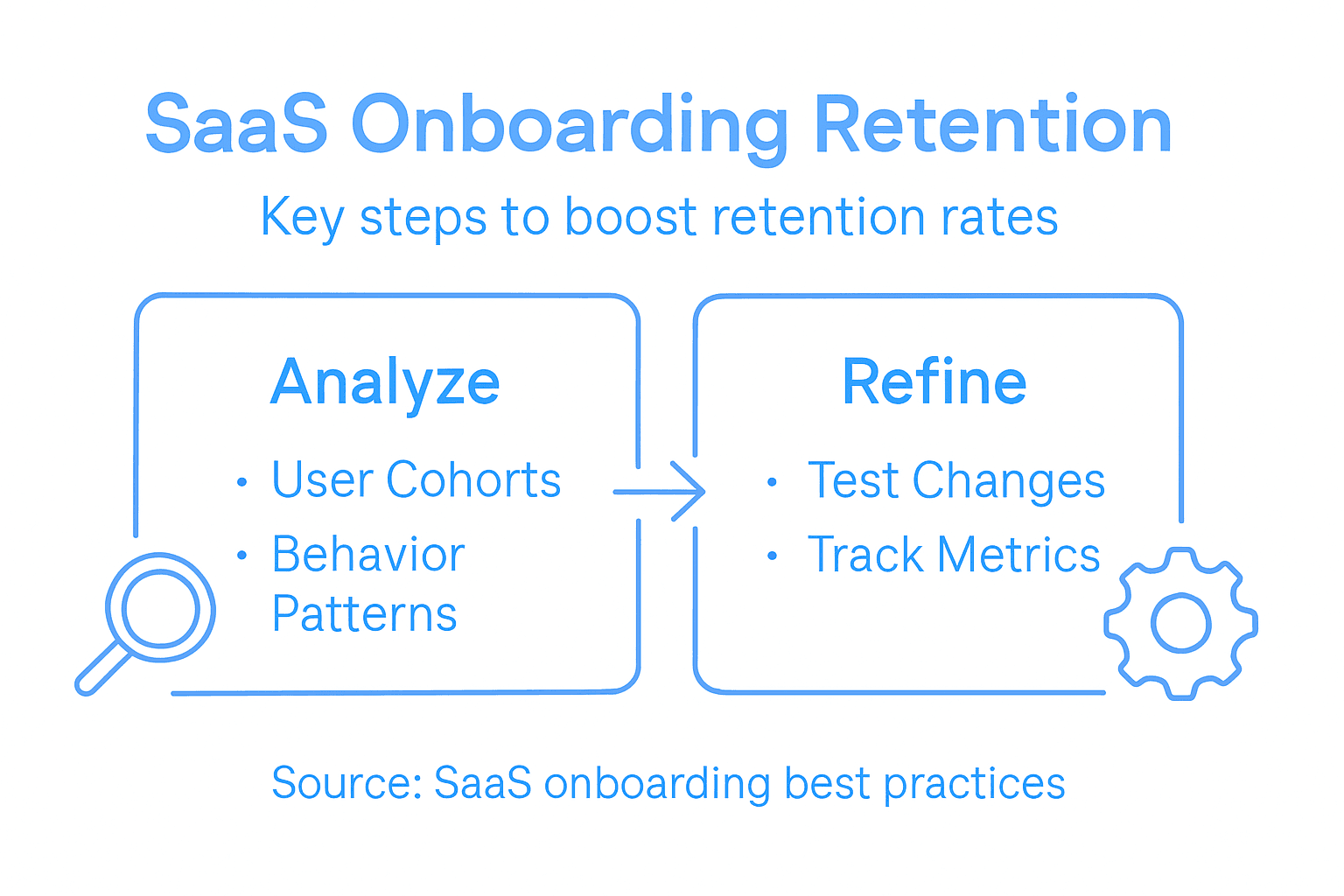
Use statistical significance testing. Small differences happen by chance. A 2 percent retention improvement across 50 users means almost nothing. The same improvement across 5,000 users means something real. Understand your sample size before celebrating results.
Retention testing through analysis of turnover rates among different cohorts enables organizations to validate whether onboarding improvements translate into better retention. Systematic data collection and evaluation guide continuous improvement.
Compare different strategies for retention testing in onboarding:
| Test Strategy | Strength | Weakness | Best Used For |
|---|---|---|---|
| Classic Cohort | Direct before/after comparison | Slow to detect small changes | Measuring overall impact |
| A/B Split | Isolates impact of single change | Requires large sample size | Testing minor adjustments |
| Longitudinal | Tracks users over extended time | Confounded by external factors | Evaluating long-term effects |
Compare multiple metrics simultaneously. Track activation completion, feature adoption rates, support ticket volume, and churn timing. A good onboarding redesign improves all of these, not just one.
Document your results and share them with your team. Show the numbers. Show which cohorts improved and which didn’t. This builds credibility for future onboarding work and justifies continued investment.
A 5 percent improvement in month-one retention across your user base compounds into serious revenue impact over a year. Test, measure, and iterate until you find it.
Use successful tests as your new baseline. Once you validate an improvement, lock it in. Future tests compare against this new standard, not the original.
Pro tip: Run tests for at least 1,000 new users per cohort to ensure statistical validity, and always test one change at a time so you know what actually moved the needle.
Unlock Higher Retention with Expert SaaS Onboarding Design
The challenge many SaaS companies face is turning onboarding from a complex, confusing experience into a smooth journey that drives immediate value and long-term retention. This article highlights crucial pain points such as activation speed, friction points in user journeys, and the need for continuous feedback integration to improve retention metrics. If you are struggling with churn right after signup or want to deepen user engagement through better onboarding, these goals are within reach.
At The Good Side, we specialize in partnering with growth-oriented SaaS teams to embed senior design leadership that transforms onboarding experiences. Our designers work closely with your product and engineering teams to remove onboarding friction and accelerate first-time user activation. By focusing on strategic, outcome-driven design, we help you build onboarding flows that users actually complete and that drive measurable retention improvements.
Maximize activation rates, reduce churn, and create onboarding that delivers real value from the first interaction.
Ready to redesign your SaaS onboarding for lasting impact Visit The Good Side today to connect with senior SaaS design experts who bring hands-on execution and clear business results. Don’t wait until churn drains your growth Get in touch now to start turning new users into loyal customers.
Frequently Asked Questions
How can I analyze retention metrics effectively for SaaS onboarding?
To analyze retention metrics effectively, start by defining your retention baseline and tracking metrics like time-to-productivity and churn rates by user cohorts. Regularly review these metrics to identify specific onboarding gaps, allowing you to focus on areas that need improvement.
What are common friction points in the SaaS onboarding process?
Common friction points include unclear communication about the next steps, a lack of context for tasks, and too many setup steps before showing value. Identify these barriers by observing real users during onboarding and conducting interviews to gather feedback on their experience.
How do I redesign onboarding to provide immediate value to users?
Redesign onboarding by clarifying what immediate value looks like for your product and restructuring the flow to help users reach that value quickly. Aim for users to complete a first key action within five to ten minutes of logging in, ensuring they see the product’s benefits immediately.
What feedback channels should I establish after launching new onboarding?
Set up multiple feedback channels, such as in-app surveys, exit interviews, and support ticket analysis, to gather insights from users. This comprehensive approach will help you understand pain points and satisfaction, leading to continuous improvements in the onboarding process.
How do I validate improvements in retention rates after onboarding changes?
To validate improvements, run retention tests comparing the new onboarding process directly to the old one using cohort analysis. Monitor key metrics like week-one and month-one retention to ensure that your onboarding changes lead to better long-term user engagement and satisfaction.
Recommended
- SaaS Onboarding Explained: Boosting User Activation Fast | The Good Side Blog | The Good Side
- What Is Onboarding Flow and Its Impact on SaaS | The Good Side Blog | The Good Side
- Why Design Drives SaaS Growth and Retention | The Good Side Blog | The Good Side
- 7 Examples of UX Improvements for SaaS Growth | The Good Side Blog | The Good Side
- 7 Ways to Improve Candidate Experience in Security Hiring
- Technical Enablement – IronByte Consulting and Training
- Definition SaaS im Eventbereich: Effizienz für Veranstalter