
Difference in UI and UX: Impact on SaaS Growth
Product teams often find themselves debating where a confusing workflow ends and visual design begins. That distinction matters more than most realize because blending User Interface and User Experience roles muddies strategic focus and slows product growth. For SaaS leaders ready to drive measurable adoption and retention gains, understanding the difference between UI and UX helps align team priorities and make smarter resource bets that show up in the metrics.
Table of Contents
- Core Definitions: UI and UX Explained
- Why This Matters for SaaS Growth
- The Broader UX Framework
- Key Distinctions and Common Misconceptions
- What Each Actually Owns
- UI vs UX Roles and Responsibilities in SaaS
- Integrating UI and UX for Better Product Outcomes
- How UI and UX Impact Growth Metrics
Key Takeaways
| Point | Details |
|---|---|
| Distinction Between UI and UX | UI refers to visual elements while UX encompasses the entire user journey and experience with the product. Understanding this difference is crucial for effective product design. |
| Impact on SaaS Growth | Strong UX drives user activation and feature adoption, while excellent UI enhances retention and referrals. Prioritizing both is essential for growth. |
| Collaboration Is Key | UI and UX teams should work together, integrating their processes to create cohesive and user-centric products. Silos lead to disjointed experiences. |
| Focus on User Needs | Both teams must align their efforts on addressing user goals, ensuring that designs solve real problems and contribute to overall product satisfaction. |
Core Definitions: UI and UX Explained
UI and UX sound like synonyms, but they describe fundamentally different aspects of product design. Understanding the distinction matters because product teams often conflate them, leading to misaligned priorities and missed growth opportunities.
User Interface (UI) refers to the tangible elements users interact with directly. Think buttons, forms, navigation menus, colors, typography, icons, and layouts. UI is what you see and touch.
User Experience (UX) encompasses the entire journey users take with your product. It includes their emotions, frustrations, satisfaction levels, and whether they accomplish their goals. UX is what users feel.
Here’s the key distinction: UI is a component within the overall UX framework designed to create intuitive interactions. Without strong UX strategy, even beautiful UI fails to drive engagement or retention.
Why This Matters for SaaS Growth
For product managers and CTOs, conflating UI and UX creates real consequences:
- A visually polished interface (great UI) with confusing workflows (poor UX) frustrates users and inflates churn
- Strong UX design with dated visuals (weak UI) still drives adoption because users accomplish tasks efficiently
- Investing in UI alone without understanding user needs wastes resources and doesn’t move adoption metrics
Consider a dashboard redesign. The UI team creates beautiful charts and modern typography. But if users can’t find the data they need or the workflow doesn’t match their mental model, adoption stalls despite the aesthetic improvements.

The Broader UX Framework
UX encompasses ergonomic, cognitive, and emotional aspects of how users interact with your product. It includes onboarding clarity, error messaging, feature discoverability, and how quickly users reach their first success moment.
UI decisions feed into UX outcomes. Your button color (UI) influences whether users click the right action. Your form layout (UI) determines if users complete signup. But UX thinking asks deeper questions about user intent, context, and barriers to adoption.
Key elements working together:
- Usability: Can users complete core tasks without friction?
- Desirability: Do users want to keep using your product?
- Reliability: Does the product work consistently across scenarios?
- Accessibility: Can users of all abilities navigate effectively?
Strong UX strategy reveals what users actually need. Strong UI execution ensures they can find it instantly.
For growth-focused SaaS teams, this distinction directly impacts metrics. UX improvements drive activation and feature adoption. UI improvements drive retention and referrability.
Pro tip: Audit your onboarding by separating UI critique from UX critique. Ask “Is this visually clear?” (UI), then separately ask “Does this help users achieve their goal?” (UX). You’ll often find strong UI hiding weak UX.
Key Distinctions and Common Misconceptions
Product teams frequently mix up UI and UX, and this confusion ripples through roadmaps, budgets, and hiring decisions. Getting clarity on what each actually involves prevents wasted effort and misaligned expectations.
The Core Difference in Focus
UI concentrates on the visual and interactive layer. Designers choose colors, typography, button styles, spacing, and layout patterns. The goal is clarity and usability at the surface level.
UX takes a wider view. It involves user research, testing, measuring satisfaction, and designing the complete journey. UX involves user research, usability testing, and designing the overall journey with the product. UX asks why users struggle, what they need, and whether your solution actually solves their problem.
Here’s the practical difference: UI answers “How do we make this look good?” UX answers “Does this actually work for our users?”
Common Misconceptions That Hurt Growth
Misconception 1: Good UI equals good UX.
Countless companies launch beautiful interfaces that users hate. A stunning design system doesn’t fix broken workflows. If your signup flow looks gorgeous but requires five steps instead of two, adoption suffers regardless of aesthetics.
Misconception 2: UX is just testing.
Testing is part of UX, but UX starts earlier. It begins with research—understanding user pain points, mental models, and contexts. It continues through design iterations, prototyping, and post-launch monitoring. Testing validates decisions; it doesn’t replace strategic thinking.
Misconception 3: UI and UX are interchangeable roles.
They require different skills and mindsets. UI designers need visual design expertise. UX designers need research, psychology, and systems thinking. Asking a UI designer to own the entire user experience often results in solutions optimized for aesthetics rather than outcomes.
What Each Actually Owns
UI design responsibilities:
- Visual hierarchy and typography
- Color systems and accessibility compliance
- Component design and interaction states
- Responsive layouts and visual consistency
UX design responsibilities:
- Understanding user goals and pain points
- Information architecture and task flows
- Usability testing and data-driven decisions
- Onboarding clarity and feature discoverability
Both disciplines must collaborate. UI without UX insight creates beautiful dead ends. UX without UI execution leaves users confused about what to do.
For SaaS teams, this distinction affects hiring and team structure. You need both perspectives represented early in product decisions. A pure UI hire delivers visual polish. A pure UX hire discovers what users actually need. Together, they move the needle on retention and adoption.
Pro tip: When disagreements arise between UI and UX teams, ask “Does this decision help users accomplish their goal faster?” If the answer is yes, the UI decision serves the UX strategy. If it just looks better, reconsider the priority.
UI vs UX Roles and Responsibilities in SaaS
In growing SaaS companies, UI and UX responsibilities often overlap or fall to the same person. This creates bottlenecks and dilutes focus. Understanding who should own what accelerates product decisions and improves outcomes.
The UI Designer’s Core Responsibilities
UI designers own the visual language and interactive details. Their focus is precision and consistency across every touchpoint.
Key responsibilities include:
- Designing components, buttons, forms, and navigation patterns
- Building and maintaining design systems for scalability
- Ensuring visual hierarchy guides users to important actions
- Creating responsive layouts that work across devices
- Implementing accessibility standards like color contrast and readable typography
UI designers answer questions like: “What should this button look like? How do we maintain consistency across 50 screens? Does our color system meet WCAG standards?”
Here’s a quick comparison of UI and UX roles, responsibilities, and business outcomes in SaaS organizations:
| Aspect | UI Designer | UX Designer | Business Impact |
|---|---|---|---|
| Focus | Visual details and consistency | User needs and satisfaction | Retention and adoption |
| Core Skills | Typography, color systems, layout | User research, flow mapping, testing | Product growth and loyalty |
| Typical Deliverables | Component libraries, responsive designs | User journeys, feedback analysis | Reduced churn, higher MRR |
| Execution Speed | Iterative, incremental changes | Strategic, evidence-based decisions | Faster feature launches |
The UX Designer’s Core Responsibilities
UX designers own user outcomes and satisfaction. Their focus is research, strategy, and measurable results.
Key responsibilities include:
- Conducting user research and testing to validate assumptions
- Designing information architecture and user flows
- Identifying friction points that block adoption or retention
- Measuring feature success through data and user feedback
- Creating onboarding experiences that drive activation
UX designers answer questions like: “Why do users abandon signup? What features do power users need most? How do we reduce time-to-value?”
Role Differences in SaaS Context
SaaS products demand speed and iteration. Understanding the distinct roles of product designers helps teams avoid duplication and gaps.
UI designers make incremental improvements. They refine existing interfaces, update design systems, and solve visual problems. Their work is often faster and more straightforward to execute.
UX designers make strategic bets. They discover what needs building, validate it works, then hand off to UI for polish. Their work requires patience and evidence gathering.
Most SaaS teams need both. Hiring only a UI designer leaves user research and strategy unexplored. Hiring only a UX designer means beautiful solutions never ship.
How They Collaborate in Practice
The best SaaS teams structure design work this way:
- UX researcher identifies a problem (users struggle to find settings)
- UX designer proposes solutions through prototyping and testing
- UI designer refines the winning solution into polished, production-ready components
- Team measures impact on retention or task completion rates
Separate the discovery phase (UX) from the execution phase (UI). Conflating them wastes time and produces mediocre results.
When teams blur these roles, UI designers spend weeks researching problems that don’t need research. UX designers spend weeks refining solutions instead of finding the next problem to solve.
Pro tip: In your next product meeting, ask: “Is this a UX problem or a UI problem?” UX problems need research and validation first. UI problems need design refinement. This simple distinction prevents wasted cycles and clarifies who should own each decision.
How UI and UX Impact Growth Metrics
UI and UX improvements aren’t just nice to have—they directly drive revenue. Product managers often underestimate the connection between design quality and growth metrics. The data shows otherwise.
The Direct Revenue Impact
Good UX design positively affects key SaaS metrics including Monthly Recurring Revenue (MRR), Customer Acquisition Cost (CAC), and Lifetime Value (LTV). When users encounter friction during signup, onboarding, or feature discovery, they don’t engage deeply—they leave.
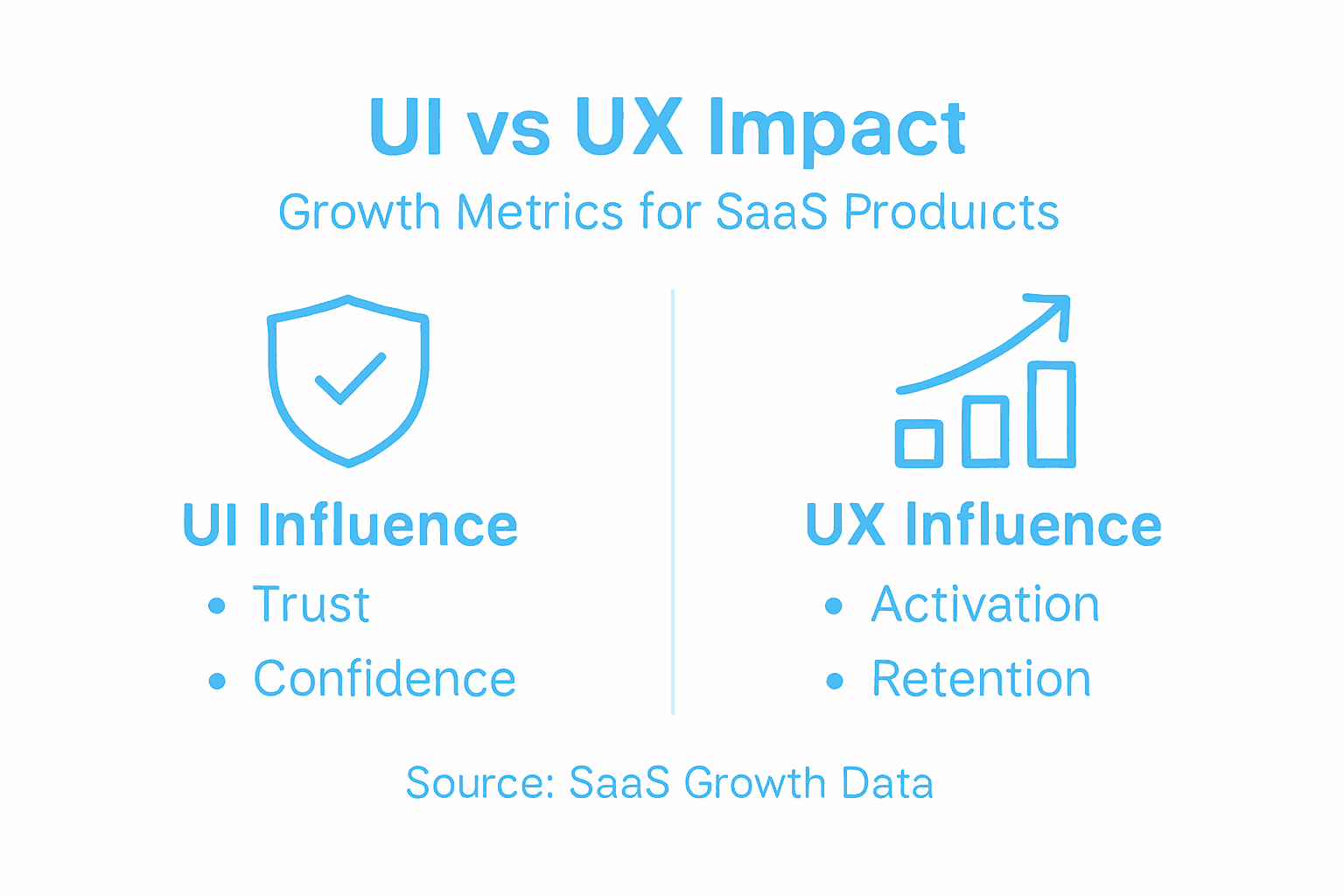
UX improvements reduce that friction. Activation rates climb. Task completion improves. Customers stick around longer, and support costs drop.
UI improvements matter too. A polished, intuitive interface signals professionalism and builds trust. Users feel confident using your product, which translates into higher satisfaction and referrals.
How Each Impacts Specific Metrics
Activation and Onboarding (UX-driven)
UX improvements reduce time-to-value. A clearer onboarding flow means users reach their first success moment faster. This metric directly predicts long-term retention and expansion revenue.
Retention and Churn (Both UI and UX)
Poor UX creates friction that compounds over time. Users tolerate occasional friction. They don’t tolerate constant friction. A well-designed UX removes barriers; strong UI keeps users coming back because the experience feels effortless.
Feature Adoption (UX-driven)
Powerful features mean nothing if users can’t find them. UX design—through information architecture and discoverability—determines whether users unlock features that increase their LTV.
Net Revenue Retention (Both)
When existing customers expand usage and upgrade, NRR grows. This happens when they feel confident navigating your product and discover high-value features. UX strategy identifies what to build. UI execution makes it discoverable.
This summary shows how UI and UX improvements affect SaaS growth metrics:
| Metric | UI Influence | UX Influence | Overall Result |
|---|---|---|---|
| Activation Rate | Intuitive onboarding visuals | Streamlined workflows | More users activated quickly |
| Retention | Attractive interface | Frictionless experience | Higher loyalty and lower churn |
| Feature Adoption | Clear icons and layouts | Discoverable, relevant features | Deeper product engagement |
| Net Revenue Retention | Consistent branding | Valuable user journeys | Increased upsell and expansion |
The Compound Effect Over Time
Metrics that improve from design often compound:
- Better activation → higher cohort retention → stronger NRR
- Reduced churn → lower CAC payback period → higher LTV
- Improved feature adoption → increased expansion opportunities → better MRR growth
Many teams see 15-30% improvements in activation rates within 90 days of UX-focused changes. Churn reduction often follows 4-6 months later as retention improves.
UX and UI improvements are multipliers. They don’t just improve one metric—they improve the relationships between metrics, compounding growth over quarters.
Your competitors are likely neglecting design strategy. UI optimization directly boosts SaaS activation and growth when paired with clear product strategy and measurement discipline.
The teams that win measure design impact. They tie feature releases to metrics. They test UX changes against baseline behavior. They don’t guess—they know.
Pro tip: Before your next design sprint, identify which growth metric matters most right now (activation, retention, or expansion). Design decisions should align to that metric. A beautiful onboarding experience doesn’t help if your real problem is feature adoption. Clarity on the metric prevents wasted design cycles.
Integrating UI and UX for Better Product Outcomes
UI and UX succeed when they work together, not in silos. Many teams treat them as separate disciplines with separate goals. This fragmentation creates disconnects—beautiful interfaces that don’t solve user problems, or functional solutions that confuse users.
Why Integration Matters
Effective integration of both disciplines is critical for creating seamless, user-focused digital products. UX research informs what to build. UI design makes it usable and trustworthy. Separate them, and you lose coherence.
When UX and UI teams don’t communicate, contradictions emerge. UX might recommend a simplified workflow. UI might design it in a way that hides that simplification. Users see complexity, not clarity.
The Integration Workflow
The strongest teams follow this process:
- UX leads discovery - Research user needs, test assumptions, validate problems
- UX proposes solutions - Prototype flows, test interactions, measure task success
- UI translates strategy - Design systems, polish interactions, ensure consistency
- Both measure results - Track adoption, churn, and satisfaction metrics
This isn’t waterfall. It’s parallel work with clear handoffs and constant feedback loops. UI catches UX oversights. UX questions UI assumptions. Both own the outcome.
Practical Integration Points
Design system ownership
UI builds the system. UX ensures it solves real problems. A component library means nothing if components don’t address user friction points.
Onboarding and activation
UX identifies what users need to learn. UI makes that learning feel effortless through clear microcopy, visual hierarchy, and progressive disclosure.
Feature discovery
UX determines which features matter most. UI makes them visible and accessible without cluttering the interface.
Usability testing
Collaborative processes between UX and UI specialists streamline development and ensure cohesive user experiences. Both should observe testing sessions. Both should debate findings. This alignment prevents misalignment later.
Breaking Down Silos
Integration requires structural changes:
- Hire designers who understand both perspectives
- Assign shared success metrics (activation, retention, NPS)
- Run joint design reviews where UI and UX critique together
- Create shared Slack channels and weekly syncs
- Celebrate wins together, own failures together
When UI and UX share accountability for outcomes, silo thinking disappears. They stop optimizing locally and start optimizing holistically.
Teams that integrate move faster. They make fewer revisions. They ship products users actually love using.
Without integration, you get beautiful products nobody uses, or functional products people tolerate. With integration, you get both—products that drive growth.
Pro tip: In your next design critique, require both UX and UI to present together. UX explains the problem being solved. UI explains how the design solves it visually. If their stories don’t align, you’ve found integration gaps worth fixing before shipping.
Unlock SaaS Growth by Mastering the Difference Between UI and UX
Many SaaS companies struggle to move beyond surface-level UI and miss the deeper UX challenges that truly drive activation, retention, and revenue. This article highlights how confusing UI polish with UX strategy can cause frustrating user experiences and stalled growth. If you want to avoid costly missteps like beautiful interfaces that confuse users or feature sets that remain undiscovered, then focusing on integrated, outcome-driven design is essential.
The Good Side specializes in embedding seasoned UI and UX designers who co-create with your product and engineering teams to clarify user journeys and deliver real business impact. Our approach helps SaaS teams align onboarding, feature adoption, and visual execution around the metrics that matter most — activation, retention, and net revenue growth.
Take control of your product’s growth trajectory by partnering with designers who understand the nuanced relationship between UI and UX, and who drive measurable improvements from day one. Visit The Good Side now to get senior fractional design leadership that accelerates growth without the delays and risks of full-time hiring. See how clear, strategic design decisions can unlock your product’s full potential today.
Frequently Asked Questions
What is the difference between UI and UX in the context of SaaS?
UI, or User Interface, refers to the visual elements users interact with, such as buttons, forms, and layouts. UX, or User Experience, encompasses the overall journey and satisfaction a user has when interacting with a product, including usability and emotional response.
How do UI and UX contribute to SaaS growth metrics?
UI and UX both play vital roles in SaaS growth metrics. UX improvements enhance user activation and retention by reducing friction and improving task completion. UI improvements, while focusing on aesthetics, also foster user engagement and confidence in using the product, which can lead to higher satisfaction and referrals.
Why is it important to integrate UI and UX in product design?
Integrating UI and UX ensures that the visual design aligns with user needs and solves real problems. When these disciplines work together, it leads to seamless user experiences, minimizes contradictions, and ultimately drives product growth.
What are some common misconceptions about UI and UX?
A common misconception is that good UI equates to good UX; however, a beautiful interface can still result in poor user experiences if workflows are confusing. Additionally, some believe UX is only about testing, while it actually starts with user research and includes strategic design decisions.
Recommended
- The Essential Guide to the Role of UI in SaaS | The Good Side Blog
- Why Invest in UI UX: A Complete Guide
- Complete Guide to the Role of UX in SaaS | The Good Side Blog
- What Is Scalable SaaS Design? Complete Overview
- What is Software as a Service (SAAS): Definition and Examples - MaxCloudON
- Understanding Enterprise Growth Strategies for Success -
- Role of SaaS in HR: Transforming Employee Potential